
Table of Contents
- Types of Industrial Fabric Cutting Machines
- Key Features to Look for in a Cutter
- How CNC Cutting Systems Improve Production Efficiency
- Understanding Automated Fabric Cutting Machine Price Factors
- Best Practices for Industrial Fabric Cutting
- Maintenance and Blade Replacement for Industrial Cutters
- Conclusion
- Frequently Asked Questions
Last Updated: September 16, 2026
Types of Industrial Fabric Cutting Machines
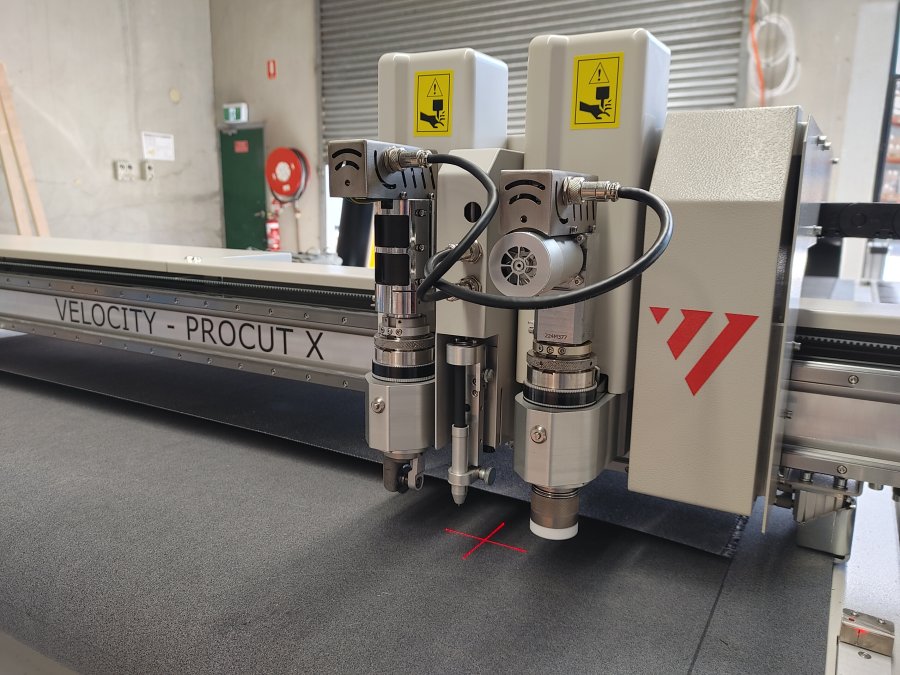
Choosing the best industrial fabric cutting machines 2026 has to offer starts with understanding the three core cutting technologies, because the right system for a 15-person cut room looks nothing like the right system for a high-volume garment line. At Velocity Plotters, we see production teams waste months comparing specs across categories that were never meant to compete. Industrial fabric cutting equipment falls into three families: blade-based systems, laser systems, and rotary or CNC-driven systems, each with distinct strengths.
Blade cutting systems use reciprocating or oscillating blades to slice through stacked fabric layers, and they remain the workhorse of apparel and upholstery production. They handle everything from cotton to technical textiles, though blade wear accelerates on abrasive composites.
Laser cutting delivers the tightest edge quality and seals synthetic fabrics as it cuts, which matters for automotive interiors and technical textiles. The trade-off is speed on thick stacks and the ventilation infrastructure lasers require.
Rotary and CNC cutting systems combine a rotating blade with computer-controlled movement, giving you repeatable precision across multi-layer stacks. These systems dominate when pattern complexity and throughput both matter.
Blade, Laser, and Rotary Cutting Systems
Blade systems win on versatility and cost per cut. Laser systems win on edge quality and sealing. Rotary and CNC systems win on repeatability at volume. A common mistake is buying laser capability you’ll use twice a month while underinvesting in the blade throughput you need daily.
Manual vs. Electronic vs. Automated Feed
Manual cutting relies on hand-guided tools and operator skill. Electronic cutting adds motorized precision but still needs an operator feeding material. Automated feed systems pull fabric from a roll or conveyor table through the cutter with minimal intervention. The jump from electronic to automated feed is where throughput changes most, and it’s also where the capital cost climbs fastest.
Key Features to Look for in a Cutter
The features that separate a machine that pays for itself from one that sits idle come down to five specs: cutting accuracy, material thickness range, throughput, software integration, and blade longevity. Buyers who weigh these five against their actual production mix rarely regret the purchase.
- Cutting accuracy: Look for tolerance specs measured in millimeters, not vague “high precision” claims. Complex patterns and seam allowance requirements expose weak accuracy fast.
- Material thickness range: Confirm the machine handles your heaviest stack, not just your average one.
- Throughput: Measured in layers per hour or meters per minute, this is the number that determines whether you keep up with demand.
- Software integration: Vector file support, CAD/CAM compatibility, and whether the system accepts your existing digital pattern files.
- Blade longevity and maintenance: A heavy-duty motor paired with a documented maintenance schedule beats a cheaper machine that eats blades weekly.
The OSHA machine guarding standards matter here too. Any powered cutting system with exposed blades or moving feed mechanisms falls under machine safeguarding requirements, and that should factor into your evaluation before you sign a purchase order.
How CNC Cutting Systems Improve Production Efficiency
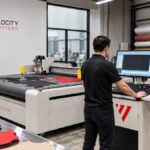
CNC cutting systems improve production efficiency by converting digital patterns directly into machine instructions, eliminating the manual marking, layout, and hand-cutting steps that slow traditional workflows. A production manager reviewing a digital cutting plan on screen while the machine runs the same file is the clearest picture of what changes.
The efficiency gain comes from three places. First, automated workflow means the machine reads vector files and cuts without manual repositioning between patterns. Second, multi-layer cutting lets one pass process dozens of fabric layers at once. Third, precision cutting reduces fabric waste because nesting software arranges patterns to use every centimeter of material.
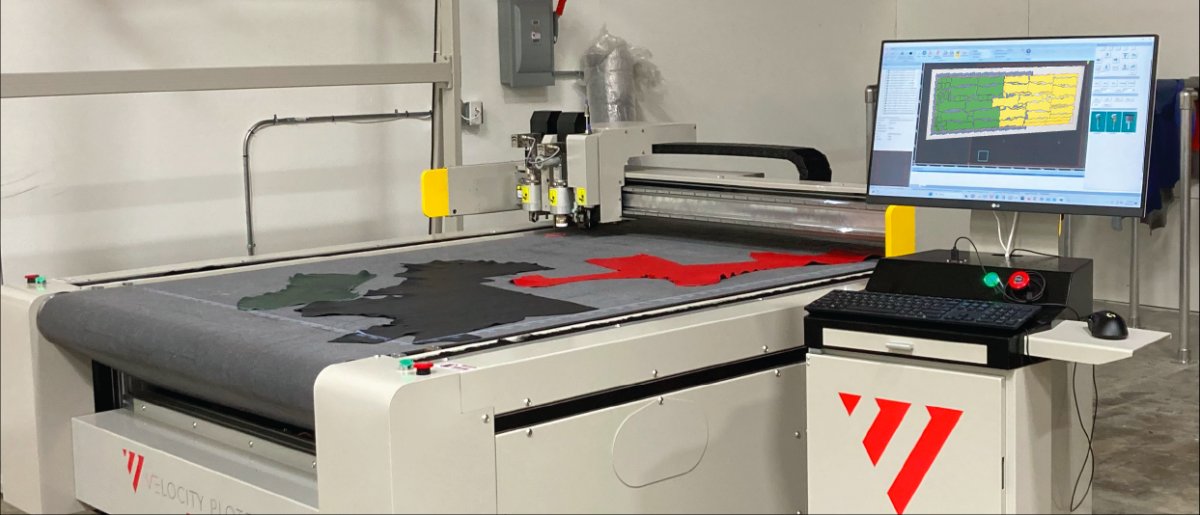
This is where industrial fabric cutting shifts from a labor problem to a software problem. The machine only performs as well as the digital pattern driving it, which is why CAD/CAM integration deserves as much scrutiny as the hardware itself.
Understanding Automated Fabric Cutting Machine Price Factors
Automated fabric cutting machine price depends on cutting technology, bed size, automation level, software licensing, and installation requirements, so two machines with similar footprints can differ dramatically in total cost. Velocity Plotters does not publish fixed pricing because configuration varies by production mix, and any quote should reflect your actual throughput needs.
The mistake most buyers make is treating the purchase order as the cost. For an industrial cutter running two shifts, the acquisition price is often the smaller half of what you actually spend over the machine’s service life. A total cost of ownership (TCO) model splits that spend into four buckets, and every serious quote should let you estimate all four.
1. Capital cost. The machine itself, plus any required tooling heads, vacuum zones, conveyor extensions, and the freight and rigging to get it onto your floor. Wide-format beds and automated feed systems push this number up fastest because they add frame, motor, and material-handling hardware.
2. Consumables and wear parts. Blades, cutting mats or sacrificial surfaces, and any specialty tooling. This is where material mix matters most: abrasive composites and technical textiles dull blades far faster than cotton or canvas, so a shop cutting the same machine hours on different materials can see consumable spend vary by a wide margin. Ask vendors for a per-hour consumable estimate based on your actual material list, not a generic average.
3. Software and licensing. Some vendors bundle CAD/CAM licensing into the machine price; others charge annually per seat. Confirm in writing whether pattern software, nesting tools, post-processors, and version updates are included or billed separately, and whether the license is perpetual or subscription. A subscription that looks cheap in year one can outrun the machine’s depreciation over a decade.
4. The most expensive mistake in this category is buying on sticker price alone. A machine that’s cheaper upfront but requires custom tweaks for every new material will cost more in lost production hours than a properly configured system that costs more on day one.
Ask every vendor for three numbers before you sign: estimated consumable cost per machine hour, annual software cost after year one, and the electrical service the machine requires. Vendors who can’t produce those numbers are telling you something about their after-sale support.
Best Practices for Industrial Fabric Cutting
The best practices for industrial fabric cutting come down to preparation, calibration, and material-specific settings, and teams that follow them consistently report fewer rework cycles and less material waste. None of this is glamorous, but it’s where the margin lives.
| Practice | What It Prevents | Frequency |
|---|---|---|
| Pattern file validation | Scaled or distorted cuts | Every new pattern |
| Blade depth calibration | Uneven penetration, frayed edges | Per material change |
| Nesting optimization | Excess fabric waste | Every production run |
| Cutting surface inspection | Inconsistent cut quality | Weekly |
| Full machine calibration | Drift in cutting accuracy | Monthly |
Maintenance and Blade Replacement for Industrial Cutters
Blade replacement intervals depend on material abrasiveness, cutting speed, and daily throughput, so the honest answer is that no single schedule fits every shop. What matters is tracking blade performance and replacing on condition, not on a fixed calendar.
- Daily: Clean cutting surfaces and remove fabric lint; check that the blade guard and any light curtains or interlock switches are intact and functioning.
- Weekly: Check belt tension and guide rails; inspect the cutting mat or sacrificial surface for grooves and uneven wear.
- Monthly: Verify calibration against a known test pattern; inspect vacuum zones and filters if the machine uses a hold-down system.
- Per material change: Recalibrate blade depth and cutting speed; leather, canvas, and technical fabrics all behave differently under the same blade.
- On the vendor’s recommended cadence: Apply cutting-software and firmware updates, and re-run a test pattern afterward to confirm nothing shifted.
The shops with the lowest downtime aren’t the ones with the newest machines. They’re the ones with a written maintenance schedule, a blade log that tells them exactly when to act, and lockout procedures that keep operators safe during every blade change.
Conclusion
The hard part of choosing among the best industrial fabric cutting machines 2026 has to offer isn’t finding capable equipment. It’s matching the machine to your actual production mix, material range, and growth plans without overbuying automation you won’t use for years.
Frequently Asked Questions
What are the key features to look for in an industrial fabric cutting machine?
Focus on cutting accuracy, material thickness capacity, and throughput speed. Look for a heavy-duty motor, a reliable conveyor table or automatic feeding system, and software integration for vector files. A machine with a strong cutting mat and good blade longevity will reduce downtime. Also check ergonomics and safety features, especially if you plan to scale production.
How do CNC cutting systems improve production efficiency?
CNC cutting systems automate the cutting process, which reduces manual errors and increases cutting speed. They can handle multi-layer cutting and complex patterns with high precision. This leads to better fabric waste reduction and higher throughput. For example, a CNC system can cut a pattern in seconds that would take minutes by hand, and it ensures every piece matches the digital design exactly.
What is the difference between laser and blade-based industrial fabric cutters?
Laser cutters use a focused beam to cut or engrave fabric, which seals edges and works well for synthetic materials. Blade-based cutters use a physical blade, which is better for natural fibers and thick materials. Laser cutters can be faster but may burn some fabrics. Blade cutters are more versatile for leather, canvas, and technical textiles. Your choice depends on your material mix and precision needs.
Are automated fabric cutting machines worth the investment for small businesses?
Yes, if you have consistent production volume and want to reduce waste. Automated machines lower labor costs and improve accuracy, which pays off over time. For a small shop, start with a scalable model that fits your current output and can grow with you. The ROI depends on your material savings and production speed, so calculate your current waste percentage and labor hours to estimate payback.


 EN_US
EN_US  ES
ES