
Tabla de Contenidos
- Quick Comparison: Automated Cutting Systems for Technical Textiles
- Blade vs. Laser vs. Rotary: Cutting Technologies Explained
- Oscillating Knife vs Laser Cutting for Textiles: Which Wins?
- Manual, Semi-Automatic, and Fully Automated Systems
- Material Compatibility: Kevlar, Composites, and Technical Fabrics
- CAD/CAM Integration and Software Workflows
- ROI of Automated Textile Cutting Systems: TCO and Payback
- Automated Cutting Machine Maintenance Best Practices
- Preguntas Frecuentes
Last Updated: October 1, 2026
Quick Comparison: Automated Cutting Systems for Technical Textiles
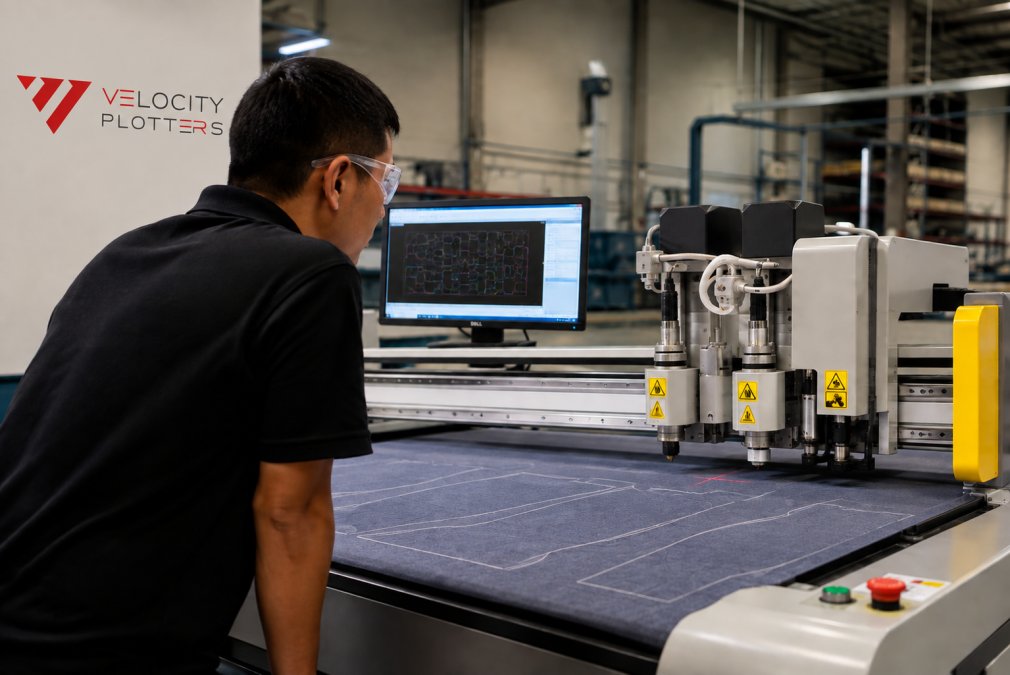
Choosing automated cutting hardware for technical textiles comes down to three decisions: cutting technology, automation level, and software integration. Get them right and the machine pays for itself; get them wrong and you inherit a maintenance schedule you did not budget for. This guide from Velocity Plotters walks through each decision.
|
System Type |
Best For |
Watch Out For |
|---|---|---|
|
Blade (oscillating knife) |
Kevlar, composites, layered fabric |
Slower on thin single plies |
|
Laser |
Sealing edges, fine detail, single ply |
Heat damage on some synthetics |
|
Rotary |
High-volume, simple shapes |
Limited pattern complexity |
|
Manual |
Prototypes, low volume |
Labor dependency, inconsistent accuracy |
|
Semi-automatic |
Growing shops, mixed runs |
Operator still feeds material |
|
Fully automated |
Scale production, tight tolerances |
Higher upfront investment |
Blade vs. Laser vs. Rotary: Cutting Technologies Explained
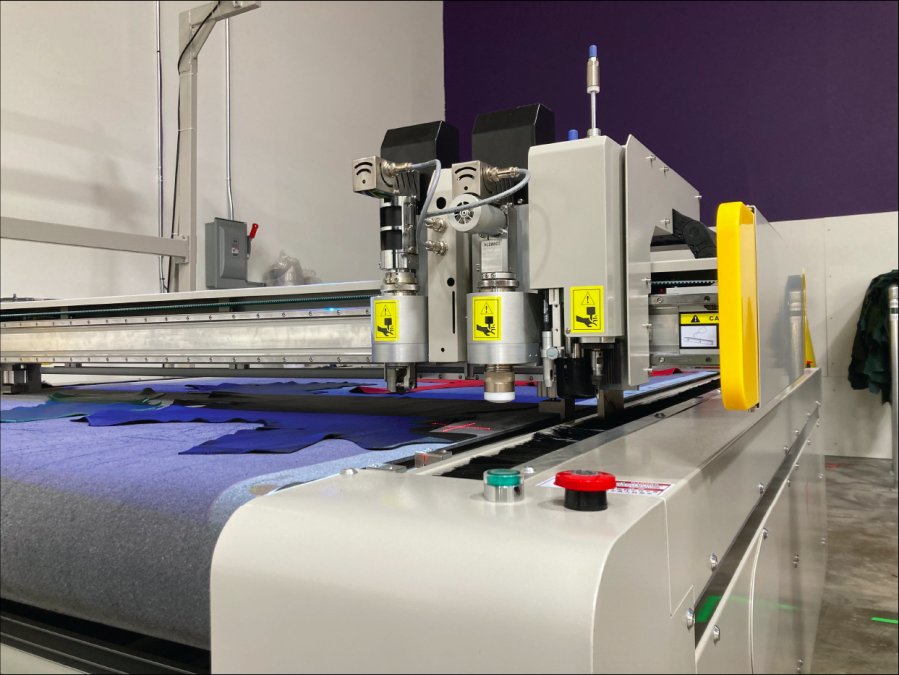
Blade cutting uses a reciprocating or oscillating knife to slice through stacked fabric layers. It handles Kevlar, composites, and most technical textiles without heat distortion, which is why it dominates multi-ply production.
When to Choose Blade Cutting
Choose blade cutting when your material is heat-sensitive, your patterns are complex, or you are cutting multiple plies at once. It is the default for Kevlar, aramid, and most composite prepregs because it will not alter material properties at the cut line.
When Laser Cutting Makes Sense
Laser cutting makes sense for single-ply work, fine detail, and materials where a sealed edge is a benefit. If you cut synthetic webbing or need intricate shapes in thin material, laser earns its place. Otherwise, heat risk usually outweighs the speed.
Rotary Cutting for High-Volume Production
Rotary cutting suits manufacturers running large volumes of straightforward shapes. Setup is quick, blade changes are simple, and throughput on repetitive work is hard to beat. The limitation is geometric: the more complex the pattern, the less rotary makes sense.
Oscillating Knife vs Laser Cutting for Textiles: Which Wins?
The oscillating knife wins for most technical textile applications. It cuts Kevlar, composites, and layered fabric without heat damage, and handles multi-ply stacks a laser cannot match. Laser wins only in narrow cases: single-ply synthetic material where a sealed edge saves a finishing step.
Here is the honest split:
- Choose oscillating knife for aramid, glass fiber, prepreg, and any material where heat changes the cut edge
- Choose laser for thin synthetics, fine detail under a millimeter, and edge-sealing applications
- Choose neither if your volume is low and your patterns are simple, because a manual or semi-automatic setup will cost less
Manual, Semi-Automatic, and Fully Automated Systems
Manual cutting relies entirely on an operator with a hand tool or straight knife. It is flexible and cheap to start, but accuracy depends on the person holding the tool, and labor dependency scales with volume.
Material Compatibility: Kevlar, Composites, and Technical Fabrics
Material compatibility decides which cutting head you need. Kevlar and aramid fibers dull blades quickly and resist clean cuts, so they need a knife system with the right blade geometry and enough force. Composites and prepregs are often heat-sensitive, ruling out laser for many grades. The only reliable test is a sample cut on your actual material.
CAD/CAM Integration and Software Workflows
CAD integration determines how much of your design-to-production workflow stays digital. A machine that reads standard CAD files directly removes the manual re-drawing step that introduces errors and eats hours. One that does not forces a technician to trace or re-key every pattern, a labor cost that compounds across every order.
File formats that matter
Most production cutting systems in this category read a core set of formats natively:
- DXF, the workhorse for 2D pattern exchange between CAD programs and CAM software
- HPGL / PLT, plotter language still common in legacy pattern rooms
- AI and PDF, useful for one-off or prototype work, but rarely the production path
- Native CAD formats (SolidWorks, Rhino, and similar), relevant when your engineering team designs in 3D and flattens to 2D for cutting
What CAM software actually does
CAM software translates design into machine path. Four functions drive your yield:
- Nesting, arranging parts on the fabric to minimize scrap. True-shape nesting (versus rectangular bounding-box nesting) is the difference between single-digit and double-digit waste percentages on irregular technical textile parts.
- Cut sequencing, the order the machine cuts parts. Bad sequencing lets a part shift after it is cut free, ruining the next cut. Good sequencing leaves a stabilizing web until the end.
- Tool path and compensation, accounting for blade kerf, laser beam width, or rotary blade thickness so the finished part matches the drawing.
- Common-line cutting, sharing a single cut between two adjacent parts. This is one of the largest single levers on material yield in nested technical textile work.
The Industry 4.0 angle competitors skip
Most comparison guides stop at ‘does it read DXF.’ The more useful question in 2026 is whether the machine can talk to the rest of your factory. Look for:
- Machine-to-MES communication, does the cutter report job status, yield, and downtime back to a production management system, or does an operator write it on a clipboard?
- OPC UA or MTConnect support, the two open standards most commonly used to expose machine data to a plant network. If a vendor cannot name which one it supports, the integration story is marketing, not engineering.
- Cloud or on-premise nesting, cloud nesting lets you push a job from a design office to a cutting floor in another building, but it depends on network reliability. On-premise keeps working when the connection drops.
- Digital twin readiness, some systems can export a cut simulation that mirrors what the physical machine will do, which lets you validate a new pattern without consuming fabric.
Questions to ask before you buy
- Which file formats does the machine read without a converter?
- Does nesting run automatically, or does an operator place parts manually?
- How does the software handle a pattern revision mid-run, does it stop, finish the current nest, or require a restart?
- What happens to in-progress work if the software license lapses?
- Can the machine export production data to your existing ERP or MES, and over which protocol?
The answers separate a machine that fits your workflow from one that forces you to fit its.
ROI of Automated Textile Cutting Systems: TCO and Payback
Most comparison guides stop at the purchase price, the smallest number in the decision. A total cost of ownership (TCO) model looks at every dollar the machine will pull out of your business over its service life, and it is the only way to compare a $60,000 semi-automatic system against a $250,000 fully automated one on equal footing.
The five TCO categories
1. Acquisition
- Machine purchase price
- Installation, rigging, and floor prep (a vacuum table needs a flat, level surface; a laser needs ventilation routed to the roof)
- Electrical work, high-speed servo systems and laser sources often need dedicated circuits or three-phase power
- Freight and import duties if the machine ships from overseas
2. Consumables
- Blades (oscillating knife, rotary), Kevlar and aramid wear blades faster than standard fabric, so this line is material-dependent
- Laser optics, lenses, and assist gas if applicable
- Cutting underlay, sacrificial mats, and vacuum table filters
- Adhesive or tackifier if you use it to stabilize plies
3. Software and licensing
- Perpetual license versus subscription, a subscription looks cheaper in year one and more expensive by year five
- Seat count, how many designers can use the CAM software at once
- Annual maintenance and update fees, typically a percentage of license value
- Nesting module add-ons, which are often sold separately
4. Labor
- Operator training (initial and refresher)
- Programming and nesting labor, this is the hidden one. A machine with weak nesting software shifts hours of work onto a skilled technician
- Maintenance technician time, whether in-house or contracted
5. Downtime
- Scheduled service windows
- Unplanned failures and the lead time on spare parts
- Production hours lost during a breakdown, valued at your contribution margin per hour, not your revenue per hour
A payback framework you can actually run
Payback period = Total investment ÷ Annual net savings
Where annual net savings =
(Material waste reduction) + (Labor hours saved × loaded hourly rate) + (Throughput gain × contribution margin per unit) − (Annual operating cost)
Worked example with placeholder figures, substitute your own:
- Current annual fabric spend: $500,000
- Current waste rate: 12%
- Target waste rate with true-shape nesting: 7%
- Material saving: 5% × $500,000 = $25,000 per year
- Labor: 2 cutters at $45,000 loaded = $90,000; automated system needs 1 operator at $55,000 = $35,000 saved
- Annual operating cost (consumables, software, service): $18,000
- Net annual saving: $25,000 + $35,000 − $18,000 = $42,000
The costs buyers forget
- Floor space, a fully automated system with a loading table and offload conveyor can occupy two to three times the footprint of a manual cutting table. That is rent, or it is production you cannot run elsewhere.
- Power draw, laser sources and vacuum tables pull significant continuous load. Ask for the nameplate rating and estimate annual kilowatt-hours against your utility rate.
- Spare parts lead time, a blade is a day; a servo drive or laser source can be weeks. Carry critical spares or negotiate a stocking agreement.
- Resale value, automated cutting hardware depreciates, but well-maintained machines from established manufacturers hold value better than proprietary systems with no secondary market.
What to ask a vendor
- What is the installed cost, all-in, including electrical and ventilation?
- What is the expected annual consumable spend at my material mix and volume?
- Is the software a perpetual license or a subscription, and what happens if I stop paying?
- What is the mean time between failures, and what is the lead time on the three most-replaced parts?
- Will you model payback using my numbers, not a generic case study?
A vendor who will not run your numbers is selling a machine, not a solution.
Automated Cutting Machine Maintenance Best Practices
Maintenance keeps a cutting system producing. The practices that matter most:
- Daily: clean the cutting surface, check blade condition, verify vacuum table seals
- Weekly: inspect the crossbar carriage and cutting head for wear, clear dust from the conveyor system
- Monthly: calibrate the cutting head, check software updates, review diagnostic logs
- Quarterly: full service on the cutting device, replace consumables on schedule rather than on failure
Preguntas Frecuentes
What is the best cutting machine for technical textiles?
There is no single best machine. The right choice depends on your material mix, production volume, and precision requirements. Oscillating knife systems handle Kevlar, composites, and multi-layer stacks without heat damage. Laser cutting suits single-ply, intricate patterns but can char certain synthetics. Rotary cutting works for high-volume, simpler shapes. Match the cutting technology to your specific fabric and throughput needs rather than chasing a universal winner.
How does vacuum table technology impact cutting precision in technical textiles?
A vacuum table holds fabric layers flat and immobile during cutting. Without it, technical textiles like coated nylon or aramid weaves shift under the blade, causing dimensional errors. Vacuum pressure keeps multi-ply stacks aligned, which improves accuracy and reduces material waste from miscuts. The effect is most noticeable on slippery or loosely woven fabrics where mechanical hold-down alone is not enough.
How do automated cutting systems reduce material waste in technical textile manufacturing?
Automated systems use nesting software to arrange pattern pieces for maximum fabric utilization, often cutting waste from 12-15% down to 5-8%. They also cut more accurately than manual methods, so fewer pieces are rejected for dimensional errors. For expensive technical textiles like Kevlar or carbon fiber, even a few percentage points of waste reduction translates to significant annual savings on material costs.
What maintenance factors should be considered when comparing industrial cutting hardware?
Ask about blade or knife replacement intervals, vacuum filter cleaning schedules, and whether the system includes predictive maintenance alerts. Machines with automated diagnostic tools flag worn components before they cause downtime. Also check the service network: how quickly can a technician reach your facility? Systems with remote diagnostics and modular parts reduce both downtime duration and repair costs over the machine’s life.
How does software integration influence the performance of automated cutting machines?
Software drives nesting efficiency, cut-path optimization, and data flow from CAD design to the cutting bed. A system with tight CAD/CAM integration reduces manual programming time and eliminates translation errors between design and production. Look for open APIs or Industry 4.0 connectivity if you plan to link cutting data with ERP or MES systems for real-time production tracking.
Cutting room decisions get expensive when they are made on demo-floor impressions instead of your own production numbers. Velocity Plotters builds intelligent scribing and cutting systems with the nesting software, precision hardware, and technical support to match machines to real material and volume requirements. Get started with Velocity Plotters and see what your waste and labor figures look like with the right automated cutting system behind them.


 ES
ES  EN_US
EN_US