
Last Updated: November 8, 2026
Resumen rápido
The most cost-efficient plotter brands depend on machine category, since paper-only pattern plotters like Tecnica One and Vector One carry lower paper and consumable spend, while flatbed plotter-cutters replace multiple single-purpose stations. Velocity plotter brands read PLT, HPGL and HPG natively, so no recurring conversion cost applies.
- Pattern and marker plotters print on paper only, so lifetime cost is dominated by paper and consumables.
- Paper pattern plotter-cutters add blade and maintenance spend but eliminate a downstream manual step.
- One flatbed plotter-cutter handling several substrates can replace multiple single-purpose stations.
- Easy-Plot converts DXF, DWG and PDF files to PLT or HPGL for one-pass full-size printing.
- Request a free material test cut or pattern digitizing sample to compare real operating costs.
Tabla de Contenidos
- What Cost Efficiency Really Means for a Pattern Plotter
- Apparel Pattern Plotter Brands: Where the Money Goes After Purchase
- Plotter File Formats PLT HPGL and the Hidden Cost of Conversion
- CAD Nesting Software for Apparel Manufacturing: The Cost Lever Most Factories Ignore
- Preguntas Frecuentes
What Cost Efficiency Really Means for a Pattern Plotter
Cost efficiency is the total cost of owning a plotter divided by the useful output it produces over its service life. Purchase price is only the first line of that equation.
Buyers often fixate on sticker price while overlooking consumables, conversion software, downtime, and paper waste. For a practical look at boosting agility and cutting costs in the apparel cutting process, see how smart cutting systems help. Total cost is what matters over the life of the machine.
Apparel Pattern Plotter Brands: Where the Money Goes After Purchase
Most of a plotter’s lifetime spend hides after the sale: paper, consumables, spare parts, service calls, and file conversion compound over years. Judge cost efficiency by machine category first, because a pattern plotter, a plotter-cutter, a flatbed, and an automatic cutter carry very different operating-cost profiles.
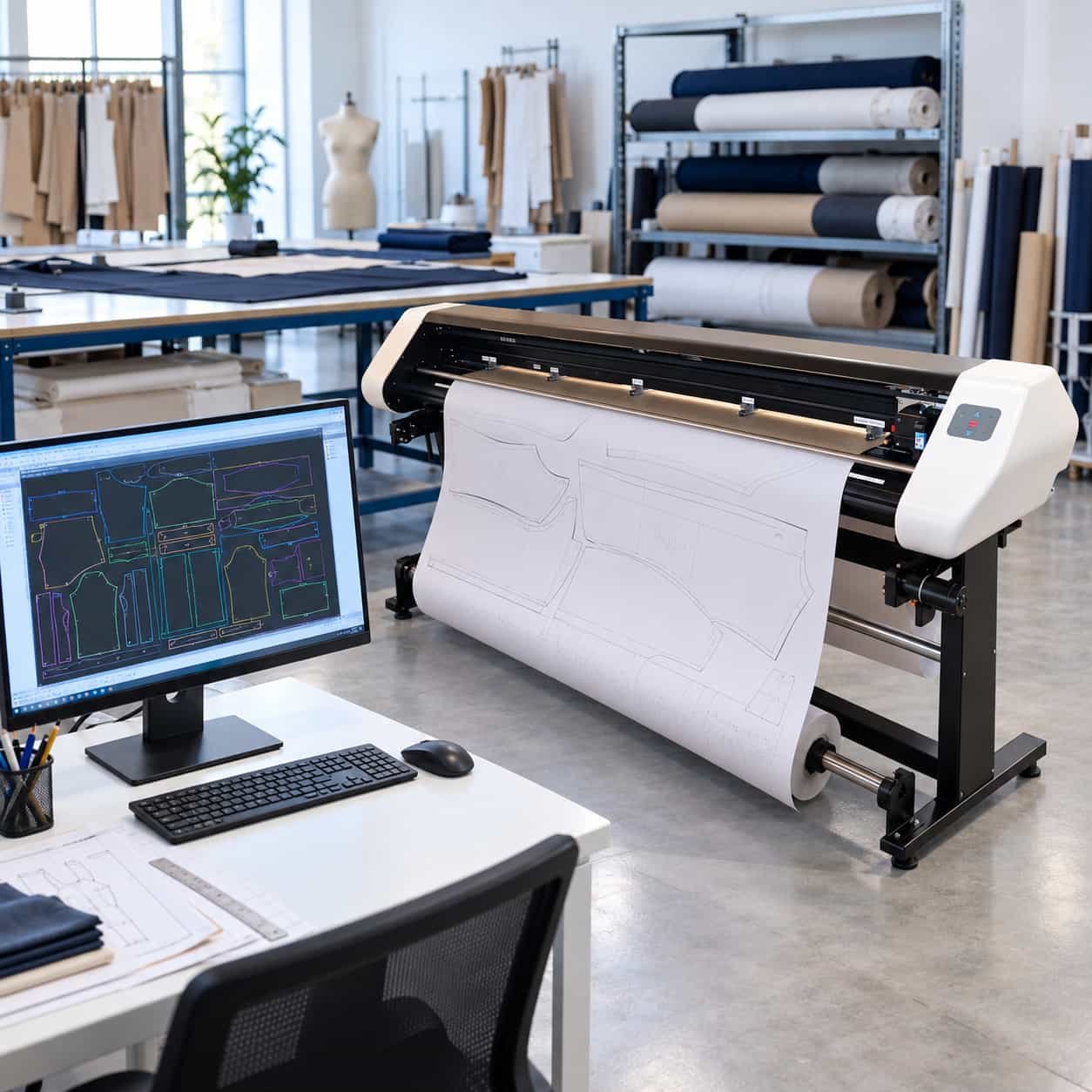
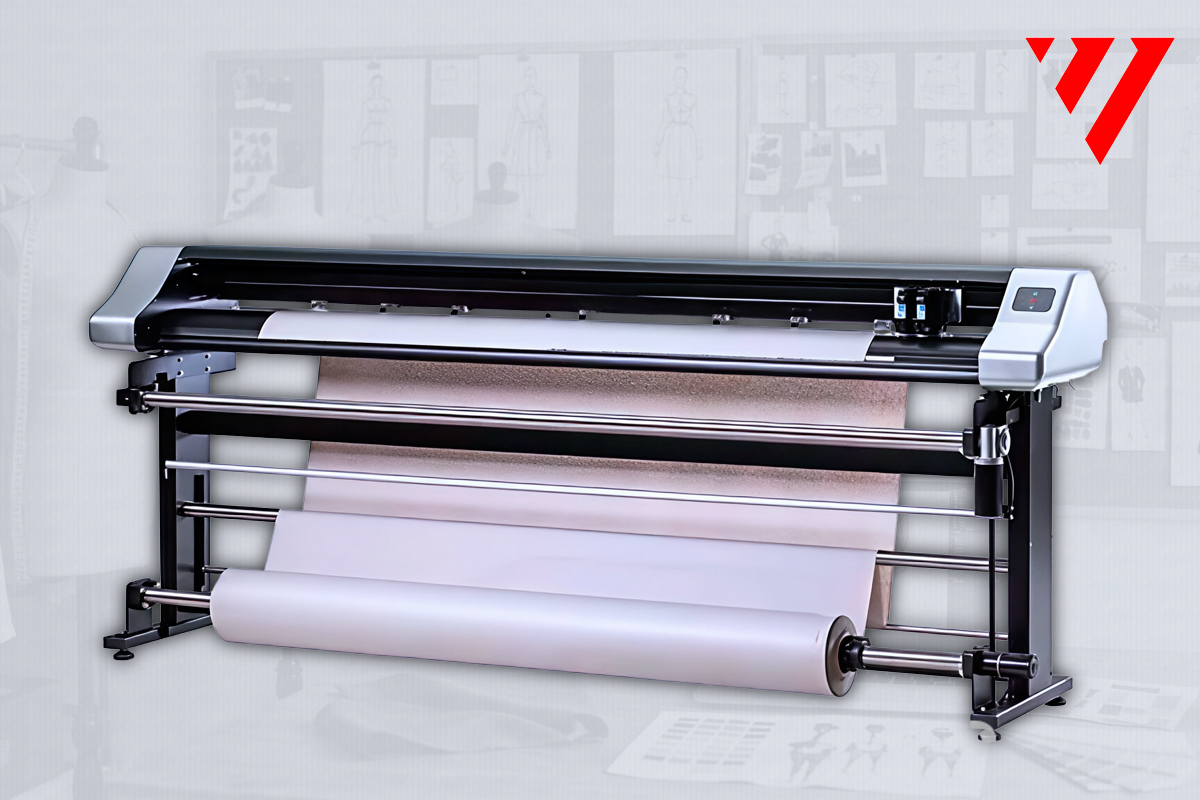
Pattern and marker plotters (Tecnica One, Vector One, Vector Two, Vector Four). These print patterns and markers on paper only, they do not cut. Lifetime cost is dominated by paper and consumables, plus occasional service. They read PLT, HPGL, and HPG natively, so teams already in those formats pay no recurring conversion cost. For a factory whose bottleneck is getting full-size markers to the cutting room, this category is often a practical fit for lower paper and consumable spend.
Paper pattern plotter-cutters (1200 Futura 49″, 1600 Futura 64″). These print, cut, and perforate paper patterns only. They add a blade and cutting head to the consumable stack but eliminate a downstream manual step. For factories with frequent style changes, the labor saved on pattern finishing can offset added blade and maintenance spend.
Flatbed plotter-cutters. These plot, mark, and cut paper, cardboard, PVC, plastic board, vinyl, canvas, and industrial textiles. Material compatibility drives cost efficiency hardest here: one flatbed handling several substrates can replace multiple single-purpose stations. Mixed-material work is where a flatbed plotter-cutter is best suited.
Automatic cutting machines (ProCut-X, ProCut XL). ProCut-X is a single-ply conveyor machine; ProCut XL is large-format, available in static and conveyor configurations. These cut fabric, leather, foam, and other production materials. Payback for an automatic cutter depends on your production volume, including plies and jobs per week. Request a quote and discuss your volumes to evaluate fit.
Pattern digitizing (V-Shoot). Camera-based digitizing that exports DXF, AAMA DXF, and PLT. It digitizes paper patterns and produces digital files for your plotter or CAD workflow.
Reliability and part availability matter as much as speed when comparing equipment. Comparing a paper-only plotter against a flatbed or automatic cutter on sticker price alone will always mislead, because the categories solve different problems.
For widths, speeds, and CAD compatibility, see our apparel plotter buyer’s guide; for growing volumes, this guide on choosing an industrial plotter maps machine class to workflow. To compare real operating costs on your own materials, request a free material test cut or a pattern digitizing sample.
The article groups plotters by machine category, because each category carries a different operating-cost profile.
|
Machine category |
Models |
What it does |
Cost driver |
|---|---|---|---|
|
Pattern and marker plotters |
Tecnica One, Vector One, Vector Two, Vector Four |
Print patterns and markers on paper only |
Paper and consumables, occasional service |
|
Paper pattern plotter-cutters |
1200 Futura 49″, 1600 Futura 64″ |
Print, cut and perforate paper patterns only |
Added blade and maintenance, offset by labor saved |
|
Flatbed plotter-cutters |
Flatbed |
Plots, marks and cuts paper, cardboard, PVC, plastic board, vinyl, canvas, industrial textiles |
Material compatibility; one unit replaces multiple stations |
|
Automatic cutting machines |
ProCut-X, ProCut XL |
Cut fabric, leather, foam and other production materials |
Payback depends on production volume |
|
Digitalización de patrones |
V-Shoot |
Camera-based digitizing; exports DXF, AAMA DXF and PLT |
Feeds clean digital files to plotter or CAD workflow |
Plotter File Formats PLT HPGL and the Hidden Cost of Conversion
PLT and HPGL are plotter-native vector formats that most pattern plotters read directly, with no extra step. DXF and DWG usually require a conversion program, which adds cost and a place for errors to creep in.
That hidden conversion step is where cost efficiency quietly erodes. Every re-export is labor time, and every misread curve is wasted paper.
Velocity’s plotters read PLT, HPGL, and HPG natively. For DXF, DWG, and PDF files, Easy-Plot converts them to plotter-ready PLT or HPGL so your team prints full-size patterns in one pass.
CAD Nesting Software for Apparel Manufacturing: The Cost Lever Most Factories Ignore
Nesting is an important material-cost lever in apparel. How markers are arranged on the fabric decides how much you scrap before a blade ever moves. Improvements in fabric yield can be a significant source of savings.
Our portfolio covers this stage through Vetigraph, third-party CAD software for pattern design, grading, marker making, and automatic nesting that we sell and support. Velocity does not own Vetigraph; we sell it and support it alongside our plotters and cutters so the file path from pattern to marker to machine stays clean.
The cost mechanism works in three places:
- Fabric yield. Automatic nesting tests marker layouts a person would not have time to try, tightening the arrangement and reducing scrap per garment. Savings scale with fabric cost and volume.
- Labor time. Manual marker making and re-grading consume pattern-room hours on every style change; software that grades and nests automatically frees that time.
- Rework and waste. Clean digital files mean fewer misread curves, fewer re-plots, and less paper thrown away.
Many factories focus on plotters first and consider nesting later. The two work together: Vetigraph produces the marker, and a Velocity plotter or cutter consumes it. Because our plotters read PLT, HPGL, and HPG natively, and Easy-Plot converts DXF, DWG, and PDF files to PLT or HPGL, nesting output reaches the machine without manual conversion. Automatic nesting is only as good as the pattern data feeding it, so digitize legacy paper patterns with V-Shoot (which exports DXF, AAMA DXF, and PLT) before expecting tight nests.
For a deeper look at the scrap question, read how CAM software can reduce scrap and rework. To see the effect on your own styles, request a free pattern digitizing sample or a material test cut and compare nested output against your current markers.
Preguntas Frecuentes
What should manufacturers compare when evaluating plotter cost efficiency?
Compare total cost of ownership, not purchase price alone. Ask about paper and media consumption, how often the machine needs service, whether native PLT/HPGL support avoids paid file conversion, and what training and installation are included. A plotter that reads PLT/HPGL natively saves both time and software cost on every job. Request a quote from each vendor and ask them to break out installation, training and support so the numbers are comparable.
What file formats should a pattern plotter support?
A pattern plotter should read PLT and HPGL natively, since those are the standard output formats from CAD and marker-making software. DXF and DWG files usually need an optional conversion program, which adds cost. If your team works in DXF, ask whether conversion is included or extra before you buy, and confirm the plotter handles your CAD system’s output without manual rework on every marker.
How do pattern plotters differ from automatic cutting machines?
Pattern plotters print full-size patterns and markers on paper only; they do not cut material. Automatic cutting machines such as ProCut-X and ProCut XL cut production materials like fabric, leather and foam. Factories typically run both: the plotter produces the paper marker for checking and approval, and the cutter handles production. Budget for them as separate purchases with separate payback, since each removes a different cost from the workflow.

 ES
 EN_US