
Last Updated: November 2, 2026
Quick Summary
Industry 4.0 automation for textile production lines connects pattern design, digitizing, cutting and production data into one workflow that reduces manual handling and waste. Most factories begin with pattern data, digitizing paper patterns into editable files before adding CAD and nesting. Automated cutting comes last, once the file chain is clean.
- Start by digitizing the ten to twenty styles you produce or reorder most often.
- Use CAD with nesting to improve material utilization and cut manual corrections.
- Send nested markers to a plotter that reads PLT/HPGL natively, since DXF and DWG need an optional conversion program.
- Automate cutting only after pattern data is clean, or errors will repeat at higher speed.
- Track material utilization and pattern-room rework hours at each stage to measure return on investment.
Table of Contents
- What Industry 4.0 Automation Means for Textile Production Lines
- Digitizing Patterns: The First Step Toward Textile Manufacturing Automation
- Pattern Digitizing Systems and Their Role in the Workflow
- Choosing Textile CAD Software for Design, Grading and Nesting
- Marker Plotters and Plotter Cutters in a Connected Workflow
- Automated Fabric Cutting on the Production Floor
- Data, Connectivity and Cybersecurity on the Shop Floor
- A Practical Roadmap, ROI and Workforce Readiness for Small and Mid-Size Factories
- Plan Your First Automated Step: Request a Quote or Free Material Test Cut
- Frequently Asked Questions
What Industry 4.0 Automation Means for Textile Production Lines
Industry 4.0 automation for textile production lines is the connection of pattern design, digitizing, cutting and production data into one workflow that reduces manual handling and waste. For most factories, the shift starts with pattern data rather than with the cutting floor.
Industry 4.0 is broadly understood as the integration of digital technology into manufacturing, and the textile and apparel sector is no exception. A systematic literature review of Industry 4.0 in the textile and apparel sector describes the field in terms of sustainable development, digitization and personalization, while keeping human creativity at the center of design decisions.
Recent work on decision-making in Industry 4.0 points to five recurring traits: real-time, data-driven, decentralized, integrated and sustainable. Applied to a production line, that means pattern files move directly into CAD and nesting software, marker data goes straight to the plotter or cutter, and cutting results feed back into planning. a 2023 study on decision-making in the context of Industry 4.0 identifies these trends as the foundation for connected operations.
The practical question is which step to automate first. Most factories we speak with have paper patterns, a plotter that prints markers, and a cutting room that still depends on manual layout. Each of those gaps can be closed in order. This guide walks through the workflow from digitizing patterns to automated cutting, with attention to the costs, data and workforce questions that determine whether the investment pays off.
Digitizing Patterns: The First Step Toward Textile Manufacturing Automation
Digitizing patterns is the first step in textile manufacturing automation because every later stage depends on clean, editable pattern files. You can see how the V-Shoot camera digitizing system converts physical patterns into editable DXF, AAMA DXF and PLT files to judge the output for your own library.
Manufacturing data studies consistently show that digital integration begins with the design stage. A 2024 study of Industry 4.0’s impact on textile production and supply chains highlights production efficiency and quality control as primary outcomes of connected textile systems, and both depend on pattern accuracy from the start.
The shop-floor reality is that many small factories carry decades of paper patterns. Digitizing them one at a time by hand is slow and error-prone. A camera-based workflow lets a pattern maker capture several pieces in one pass, which shortens the transition from paper to CAD.
Once a pattern lives as a file, it can be revised, graded to new sizes and sent to a marker without retracing.
For a practical starting point, many teams pick their ten most-produced styles, digitize them, and run a single season through CAD before deciding what comes next. You can anchor text: see how the V-Shoot camera digitizing system converts physical patterns into editable files for your own pattern library.
Pattern Digitizing Systems and Their Role in the Workflow
Pattern digitizing systems sit between paper patterns and everything downstream, so their output format determines how smoothly the rest of the workflow runs. A digitizer that produces files your CAD and nesting software cannot read simply moves the bottleneck.
The Velocity V-Shoot Camera Digitizing System is a camera-based pattern digitizing system that exports DXF, AAMA DXF and PLT files. Those formats cover most of the CAD packages used in apparel and sewn-product work. The export choice matters because AAMA DXF follows an industry convention for pattern exchange, while plain DXF is more widely readable across general CAD tools.
A useful way to evaluate a digitizer is to trace one real workflow end to end. Digitize a pattern set, open it in your CAD system, grade it to a second size, nest a marker and send it to output. Count how many manual corrections were needed at each stage. The digitizer that minimizes those corrections is usually the right one, regardless of its headline specifications.
Where possible, test with your own patterns rather than a sample set. Pattern paper, notches, drill holes and seam allowances vary from factory to factory, and a system that handles one shop’s paper cleanly may struggle with another’s. Velocity can provide pattern digitizing samples so you can check output quality before committing.
Choosing Textile CAD Software for Design, Grading and Nesting
Choosing textile CAD software comes down to four capabilities: pattern design, grading, marker making and nesting. Software that handles only one or two of these will push work back to manual processes, which defeats the purpose of automation.
Vetigraph is a third-party CAD package covering pattern design, grading, marker creation and automated nesting. Read the complete guide to the Vetigraph nesting and marker software for a full look at its grading and nesting workflow. Velocity sells and supports it, but does not own it. It supports DXF, HPGL and ISO Cutfile formats and integrates with Adobe Illustrator, which helps teams that already prepare artwork or technical sketches in that environment.
Nesting deserves particular attention because it drives material cost. Automatic nesting rotates and flips pieces to fit the most efficient layout, and matching functions handle striped, plaid and printed fabrics while compensating for distortion. For a factory cutting expensive leather or technical fabric, even a modest improvement in use changes the economics of every order.
Compatibility is the question most buyers overlook. Confirm that your CAD output works with the plotter and cutter you plan to use, and that your existing files can be imported. Easy-Plot can convert DXF, DWG and PDF files to PLT/HPGL, which helps bridge older files that predate your current software. A demo on your own pattern set will reveal far more than any feature list.
Marker Plotters and Plotter Cutters in a Connected Workflow
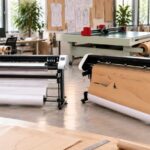
Marker plotters and plotter cutters play different roles in the workflow, and confusing them leads to poor purchasing decisions. Pattern and marker plotters print full-size patterns and markers on paper. They do not cut material. Plotter cutters go a step further by cutting paper, and in some models cardboard, plastic board, vinyl and textiles.
The Vector series, including Vector One, Vector Two and Vector Four, and the Tecnica One are pattern and marker plotters that print on paper. Vector Two is built for continuous production lines. These machines read PLT and HPGL files natively, while DXF and DWG files require an optional conversion program at extra cost.
The Flatbed Plotter Cutter sits in a different category. It plots, marks, scribes, perforates and cuts paper, cardboard, PVC, plastic board, vinyl, canvas and industrial textiles. Its work areas run from 47 by 35 inches to 59 by 47 inches, and a Template Cutter model handles acrylic and PVC from 1 to 3 mm.
In a connected workflow, the plotter receives nested markers from CAD, prints them at full size for the cutting room, and feeds the same files to a cutter when automation is in place. Keeping one file format and one CAD source avoids the version-control errors that cause scrap. Velocity offers installation and training for both plotter types, including onsite installation in the Los Angeles area and remote setup elsewhere.
Automated Fabric Cutting on the Production Floor
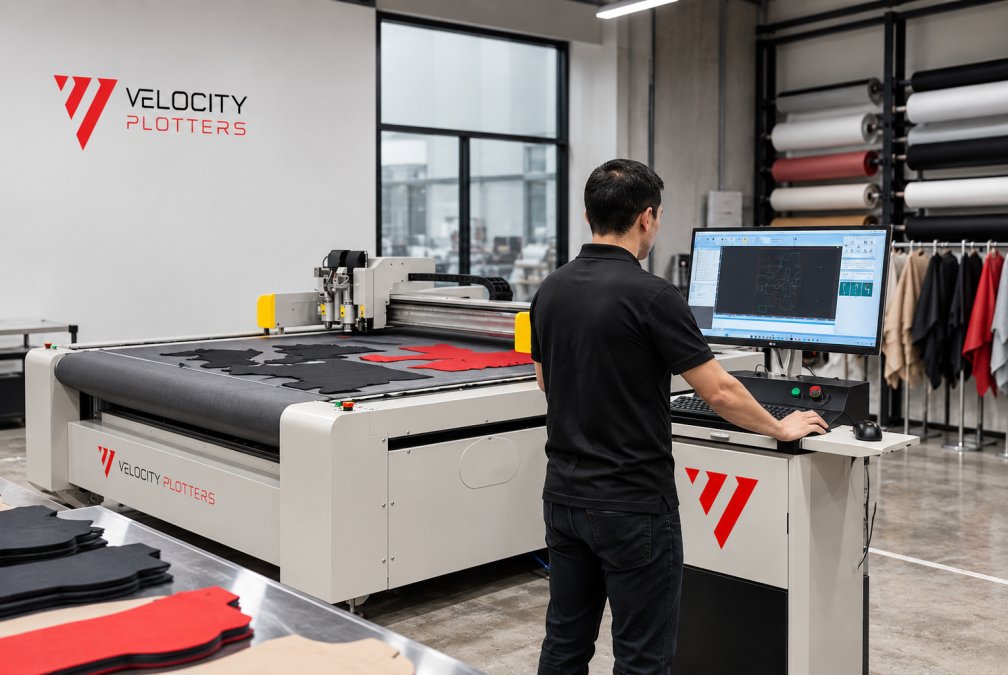
Automated fabric cutting replaces manual knife work with a computer-controlled cutter that follows the nested marker exactly. For production managers, the value shows up in consistency, throughput and the reduction of operator fatigue on repetitive cuts.
!An operator in a bright factory cutting room monitoring an automatic cutting machine as it cuts a stack of fabric along a pattern marker
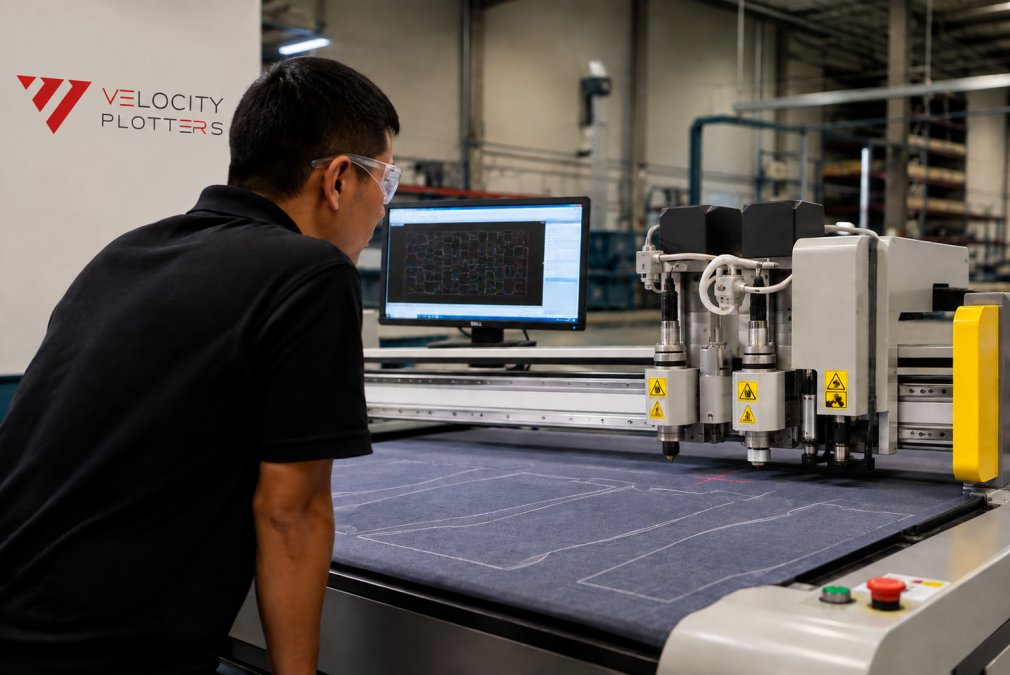
The ProCut-X is a single-ply automatic cutter with an automated conveyor. It cuts fabric, leather, vinyl, nylon, foam, insulation and composite materials, with interchangeable tools for each. An optional pattern projection system helps with placement on the material, and cutting areas range from about 4.33 by 4.92 feet to 6.89 by 8.20 feet.
The ProCut XL handles larger work, with static and conveyor versions for long markers and oversized pieces. To compare the ProCut-X and ProCut XL automatic cutting machines side by side for your floor, review both formats. It cuts, marks and notches in a single job, and the conveyor version uses 24 independent vacuum hold-down zones to keep material stable during continuous cutting.
The cutter you choose should follow your material mix and order profile.
Velocity ProCut-X Single Ply Cutter →
Single-Ply and Large-Format Cutting Compared
Single-ply cutting processes one layer at a time and suits leather, footwear, foam and smaller apparel runs where precision on each piece matters most. Large-format cutting handles longer markers and thicker stacks, which fits furniture, upholstery and automotive interiors.
|
Factor |
ProCut-X (single-ply) |
ProCut XL (large format) |
|---|---|---|
|
Best for |
Leather, footwear, apparel, foam |
Long markers, upholstery, automotive interiors |
|
Format |
Automated conveyor |
Static or conveyor |
|
Work area |
4.33 × 4.92 ft to 6.89 × 8.20 ft |
From 62 × 12 ft (static up to 82 × 26 ft) |
|
Notable feature |
Optional pattern projection |
24 vacuum hold-down zones (conveyor) |
Many shops use a single-ply machine for detailed work and a large-format unit for longer runs. The right split depends on your order mix. Velocity can arrange free material test cuts so you can see how each machine handles your actual fabrics.
Data, Connectivity and Cybersecurity on the Shop Floor
Most textile factories do not start connected. They start with a plotter from one vendor, a CAD seat from another, a cutter bought used, and an ERP that predates all of it. The real work of Industry 4.0 automation is not buying new machines, it is making the existing ones exchange files and data reliably, then protecting that flow. This section covers the integration and security layer that most guides skip.
How the files actually move between systems
In a textile workflow, data moves in one direction most of the time: pattern file → CAD → nested marker → plotter or cutter. Each handoff is a format decision, and format mismatches are the most common cause of scrap and rework in a partially automated shop.
- Pattern exchange: AAMA DXF is the conventional format for pattern interchange between CAD systems; plain DXF is more widely readable but carries less pattern-specific structure. V-Shoot exports DXF, AAMA DXF and PLT, which covers most downstream CAD packages.
- Plotter and cutter input: Plotters read PLT/HPGL/HPG natively. DXF and DWG files require an optional conversion program at extra cost, so plan for that in the budget rather than discovering it at install.
- Legacy files: Easy-Plot converts DXF, DWG and PDF files to PLT/HPGL, which is the practical bridge for archived markers and PDFs that predate your current CAD seat.
- CAD output: Vetigraph supports DXF, HPGL and ISO Cutfile and integrates with Adobe Illustrator, so teams that prepare tech sketches in Illustrator do not have to re-key artwork.
A useful rule: pick one CAD source of truth and one output format per machine, then document it. Version-control errors, two people nesting the same style from different files, cause more waste than machine downtime in most small shops.
Connecting mixed-vendor and older equipment
You do not need to replace a working machine to connect it. A common pattern is to leave older plotters and cutters in place, standardize the file format they receive, and let the CAD and nesting layer do the translation. Where a machine cannot accept a modern format directly, a conversion step (Easy-Plot for DXF/DWG/PDF to PLT/HPGL) keeps it in the workflow without a capital purchase.
For new equipment, confirm compatibility before you buy: ask whether the cutter’s software can read the file workflows your CAD produces. The ProCut-X, for example, uses SinaCutPlan X and is compatible with Gerber, Lectra, Optitex and TukaTech file workflows, a detail worth checking against your own CAD output rather than assuming.
Cybersecurity and data ownership
Connected machinery widens the surface that needs protecting, and pattern libraries represent years of design work. Three safeguards cover most of the risk for a small or mid-size factory:
- Know where files live and who can edit them. Pattern libraries should be backed up on a schedule and access should be role-based. Losing a pattern library is a bigger business risk than any single machine failure.
- Segment the production network. Keep plotters, cutters and CAD stations on a network separate from general office and internet traffic. This limits what an intrusion can reach and is standard industrial practice; your IT provider can set it up without specialist OT expertise.
- Plan for continuity. A cutter that goes down mid-run should not stop the factory. Keep plotted markers and digital files accessible so work can resume on a backup machine or manually, and write down the fallback procedure for each machine.
Velocity provides installation and training for plotters and cutters, including onsite installation in the Los Angeles area and remote installation and training elsewhere.
A Practical Roadmap, ROI and Workforce Readiness for Small and Mid-Size Factories
Most guides describe the destination, smart factories, connected lines, real-time data, and skip the sequence. For a small or mid-size factory, the sequence is the whole game. This section gives a staged roadmap, the KPIs to watch at each stage, and the workforce plan that determines whether the investment sticks.
A four-stage roadmap
Stage 1, Digitize the highest-volume patterns. Start with the ten to twenty styles you produce or reorder most. Digitize them with a camera-based system such as V-Shoot, which exports DXF, AAMA DXF and PLT. KPI to watch: pattern-room rework hours per style and time from paper pattern to editable file.
Stage 2, Adopt CAD and nesting. Move those digitized patterns into CAD for grading, marker making and nesting. Vetigraph covers pattern design, grading, marker creation and automated nesting, and its matching functions handle striped, plaid and printed fabrics while compensating for distortion. KPI to watch: material utilization percentage per marker and number of manual corrections per graded size.
Stage 3, Add plotting for markers. Send nested markers to a pattern or marker plotter, the Vector series (Vector One, Vector Two, Vector Four) or Tecnica One, which print full-size markers on paper. These machines read PLT/HPGL natively; DXF and DWG need the optional conversion program. KPI to watch: marker turnaround time and plotting errors per run.
Stage 4, Automate cutting. Only after the file chain is clean should cutting be automated. ProCut-X (single-ply, conveyor) and ProCut XL (large format, static and conveyor) follow the nested marker exactly. KPI to watch: cut consistency, throughput per shift, and operator fatigue on repetitive cuts.
Each stage should earn its place before the next begins. A factory that automates cutting before its pattern data is clean inherits the same errors at higher speed.
Measuring ROI without vendor promises
ROI depends on the baseline you measure. The two levers that move first are material utilization and pattern-room labor.
- Material utilization: Calculate your monthly material spend, then estimate the use gain from nesting. On high-value fabrics and leather, even a modest improvement changes the economics of every order. Compare against your own current waste figure rather than an industry average.
- Labor hours: Track pattern-room rework hours and cutting-room hours before and after each stage. The gain is usually largest in the pattern room at Stage 1 and in the cutting room at Stage 4.
A common pattern is that factories recover pattern-room time quickly and see material savings compound as nesting improves. Vendor promises alone should not drive the decision; your own production numbers should. Financing through TimePayment is available so the cost can be spread out over time.
Workforce readiness and change management
Adoption usually runs slower than projected in the first months, and the hardware is rarely the reason. Three practices help:
- Assign an internal champion per stage. One pattern maker who owns the digitizing rollout and one cutting-room lead who owns the cutter rollout will move adoption faster than a top-down mandate.
- Budget training time, not just training cost. Pattern makers and operators need hands-on time with the software and machines before production depends on them. Velocity provides installation and training, including onsite installation in the Los Angeles area and remote training elsewhere.
- Set realistic milestones. Expect the first month of any stage to be slower than the old process. Plan for it rather than treating it as failure.
If you are weighing whether automated cutting pays back for your operation, review the ROI and payback timing for automated cutting with your own waste and labor figures before committing.
Plan Your First Automated Step: Request a Quote or Free Material Test Cut
Plan your first automated step around the bottleneck you feel most, whether that is pattern digitizing, marker plotting or cutting. Velocity Plotters supplies all four product lines, so you can start where your factory hurts and add the rest as the results justify it. Pricing depends on configuration, quantity and delivery, so request a quote from our team for current figures on the equipment and software you need.
To see how each machine handles your own materials, ask for a free material test cut or a pattern digitizing sample. Our team in Los Angeles can arrange onsite installation locally, and we offer remote installation and training elsewhere.
Frequently Asked Questions
What does Industry 4.0 mean for textile production lines?
For textile production lines, Industry 4.0 means connecting design, plotting, digitizing and cutting equipment so that pattern data moves between machines without retyping or manual handoffs. It combines CAD and nesting software, digital pattern files in PLT/HPGL or DXF formats, and automated cutters that follow those files directly. The practical result is fewer errors, faster changeovers and better material utilization. Manufacturers usually start with one connected step, such as digitizing existing paper patterns, then extend the workflow across the line as their team gains confidence.
Which processes in textile manufacturing can be digitized?
The most common starting points are pattern digitizing, pattern design and grading, marker making, plotting full-size markers and automated cutting. These steps depend on digital files and can be connected with relatively little change to the rest of the floor. Sewing and finishing stages are typically automated later and with different equipment. Velocity Plotters focuses on the pattern-to-cut workflow, so teams can begin with the steps that have the clearest path to reduced waste.
How does CAD connect pattern development with production?
CAD software holds the master pattern, grading rules and marker layout in one digital file. That file can be sent to a plotter for printing full-size markers on paper or to an automatic cutter for cutting real material. Because every downstream step uses the same source, a change to a pattern piece flows through to the marker and the cut without re-drafting. Vetigraph, which Velocity Plotters sells and supports, is one example of third-party CAD and nesting software used in this workflow.
What data should manufacturers collect to monitor production quality?
Useful data includes marker efficiency (the percentage of material used), cut counts per style, plotting and cutting times, and the number of pattern revisions made before release. Tracking these figures over several production runs shows where waste or delays occur. Start with the metrics your team already records on paper, then move them into the digital system so comparisons are consistent and easy to review.
How can a small textile factory start adopting smart manufacturing?
A small factory can begin by digitizing its most-used patterns with a pattern digitizing system, then introducing CAD and nesting software to create digital markers. A pattern plotter can print those markers at full size, and an automatic cutter can be added when cutting volume justifies it. Velocity Plotters offers onsite installation in the Los Angeles area and remote installation and training elsewhere, and you can request a free material test cut to check the workflow with your own fabric before committing.
How do digital patterns and nesting support material efficiency?
Nesting software arranges pattern pieces on the fabric to minimize unused space between them, and digital patterns allow that arrangement to be calculated rather than drawn by hand. Piece rotation, flipping and matching for striped or printed fabrics can further improve utilization. Better nesting reduces fabric waste per garment, which is one of the most direct ways to lower material cost. Results depend on the fabric, style mix and nesting rules, so manufacturers should test with their own patterns.
What should manufacturers consider when integrating automated cutting into a production line?
Consider the material types you cut, the typical length of your markers, your required throughput, and how cutting will feed into sewing or the next process. Single-ply conveyor cutters suit high-precision work on a single layer, while large-format cutters handle long markers and oversized pieces. Also plan for file compatibility, operator training and parts support. Velocity Plotters can help you compare the ProCut-X and ProCut XL against your current workflow, and pricing depends on configuration, so request a quote for current figures.



 EN_US
 ES